
Chicken Road Apps Compared
No install needed: browser demo
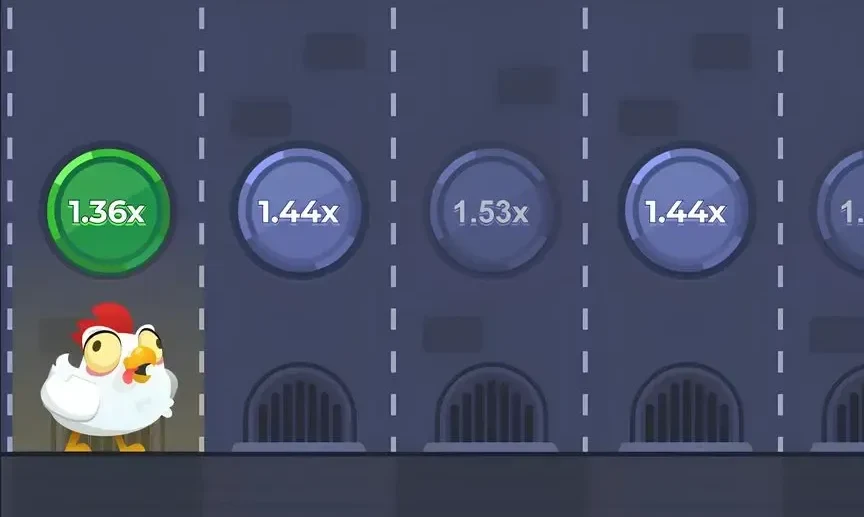
The quickest option in the comparison is already on this page. The embedded demo runs in your phone’s browser with 1,000,000 play credits, no download and no account.
About this game
Which chicken road app should you actually install? The honest answer is that there is no single one, because InOut Games, the studio, does not release a standalone consumer app. Every ‘app’ you see is one of four things: a browser tab, a casino’s own Android app, a home-screen shortcut on an iPhone, or an APK file from somewhere on the internet. They differ a lot in convenience and in risk.
The four routes at a glance
- Browser tab – Install: none. Storage: almost zero. Updates: automatic. Risk: lowest. Works on: any modern phone.
- Casino Android app – Install: from the operator. Storage: moderate. Updates: through the operator. Risk: depends on that operator. Works on: most Android phones.
- iPhone home-screen shortcut – Install: Safari’s Add to Home Screen. Storage: negligible. Updates: automatic. Risk: low. Works on: iOS only.
- APK from a third-party site – Install: manual, with unknown sources enabled. Storage: varies. Updates: none or unclear. Risk: highest. Works on: Android only.
Browser: the baseline
Opening the game in Chrome or any other browser gives you the same build casinos host, with nothing stored on the phone. It loads on budget handsets, uses modest data once cached, and you can step with the Space key if you are on a laptop. The downside is small: you need to reopen the page each time, and a weak signal can slow the first load.
If you use a desktop as well, the browser route is the only one that carries over without extra work. The same page opens on a laptop, and nothing needs to be synced, because nothing lives on the device in the first place.
Casino Android app
Some operators wrap their whole lobby, this game included, into an Android app. It adds notifications and a saved login, which is convenient and also makes it easier to play more than you meant to. The app belongs to the casino, so its permissions, privacy terms and update habits are the casino’s. Read the permission list before installing; a lobby app has no reason to ask for contacts or SMS.
iPhone home-screen shortcut
iPhone users get the cleanest middle ground. Open the page in Safari, tap Share, then Add to Home Screen. The icon launches the game full-screen like an app, yet nothing is actually installed and there is no file to trust. It is simply a bookmark dressed as an app, and it behaves exactly like the browser version.
There is no App Store listing from the studio, so any iOS app using the name is either a casino’s own product or an unrelated clone. Treat it the same way you would on Android: check the developer, read the privacy label, and be wary of anything that promises cash rewards.
APK files: why they rank last
A chicken road apk offered on a download portal, a Telegram channel or a YouTube description did not come from the studio. To install it you must switch off a protection on your phone, and you have no way to know what the file contains. Common problems include aggressive ads, requests for SMS or accessibility access, and fake ‘withdrawal’ screens. A chicken road download from such sources is the one option on this list worth avoiding entirely.
Before you pick any of them
Whichever route you take, the law is the same. The Promotion and Regulation of Online Gaming Act, 2025 prohibits offering, advertising and facilitating payments for online money games in India, so an app that takes deposits for this game is operating against it. Check the current position yourself. The free demo has no money involved, and it is for adults only – 18+ – with a time limit set before you start.
The recommendation
For almost everyone, the browser wins. It costs no storage, needs no permissions and always runs the current build. iPhone owners can add the home-screen shortcut for convenience. A casino app only makes sense if you already trust that operator and accept its data terms, and an APK from an unknown source should not be on your phone at all.
If you just want to see the game, scroll up: the demo on this page is the browser route, ready to go, with a 1,000,000-credit balance that is not real money and cannot be withdrawn.
For the fine print behind this comparison, see how the four routes were tested and why uninstalling a casino app can help you take a break.
Browser demo: no app permissions at all. The page uses a temporary session token and standard server logs, and stores nothing personal.
Home-screen shortcut: adds an icon and nothing more. It has exactly the same data footprint as the browser.
Casino Android app: typically asks for internet and notification access. A legitimate one should not need contacts, SMS, call logs or accessibility services.
Unverified APKs: may request broad permissions and can read data outside the game. Installing one also requires disabling a phone safeguard.
Account data: a registered casino profile, in any app form, holds your identity and payment records with that operator.
Storage: the browser route leaves only cache files, which you can clear in settings at any time.


Ratings and reviews
- Report as inappropriate
- Report as inappropriate
- Report as inappropriate